A database as simple as a spreadsheet.
Your data lives in tables, as in a spreadsheet, but every column has a type and tables link to each other. A client, their quotes and their invoices stay connected.
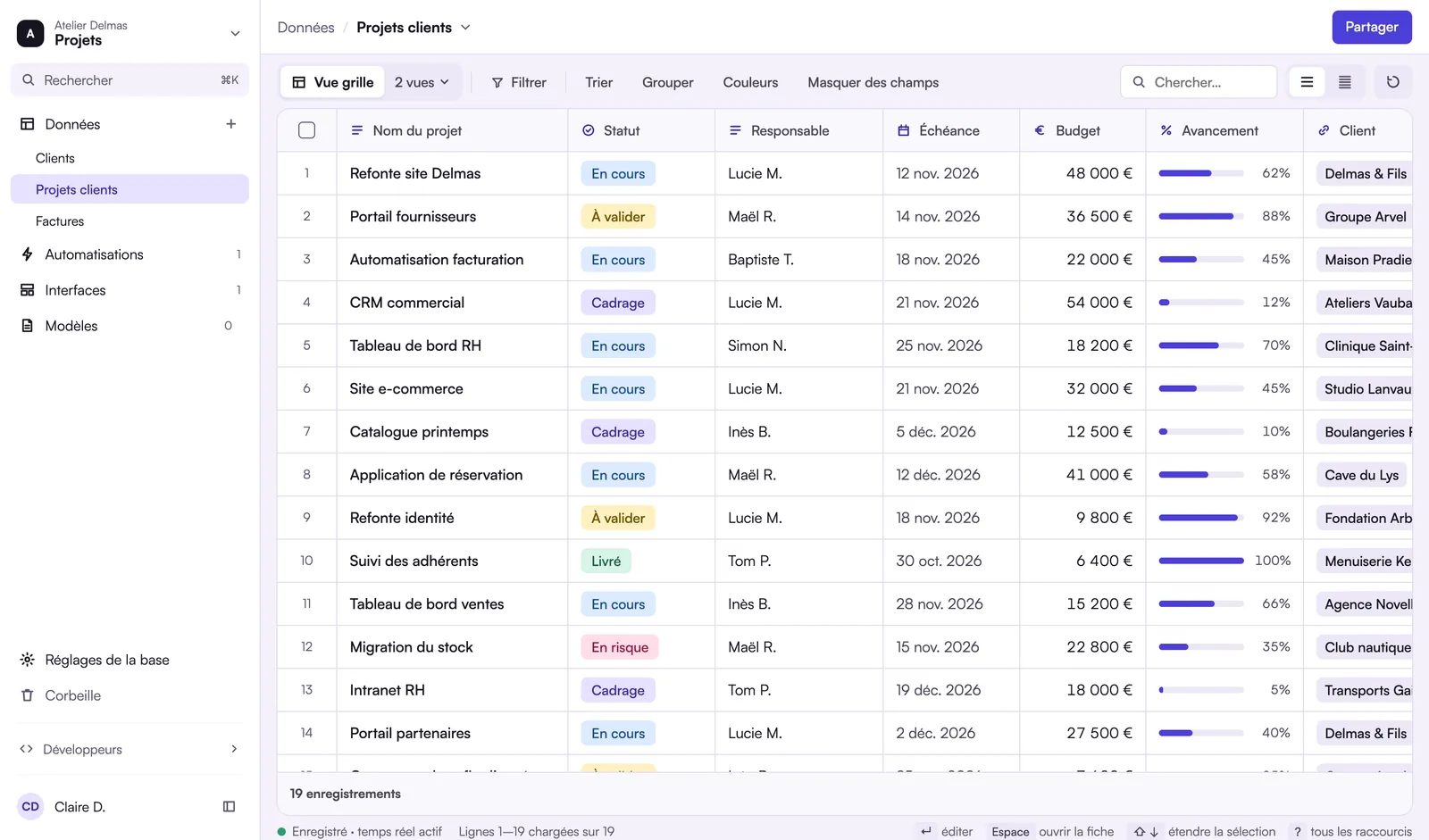
What is the Rangee database?
Rangee is a European no-code database that works like a spreadsheet. Data lives in tables where each column has a type, among 35: text, currency, date, choice, attachment, formula or link to another table. Tables link to each other: a client, their quotes and their invoices stay connected, and Rangee sums or counts the linked rows without a formula copied down. Formulas have 85 functions and refer to fields by name. Each table shows in eight views: grid, kanban, calendar, gallery, timeline, Gantt, list and form. You start from a CSV file or a table pasted from Excel or Google Sheets. The Free plan, free with no time limit, includes one base of 1,000 records; the Pro and Business plans go up to 750 bases of 100,000 records. Data is hosted in the European Union.
Linked tables, not copied tabs
A link field connects a record to records in another table. From that link, Rangee looks up, adds up and counts for you, with no formula copied down row by row.
- Lookup: show the client’s name or email on each quote
- Rollup: add up the amounts of a client’s invoices
- Count: count a client’s open projects
- Aggregation: totals and averages calculated across tables
35 field types
Every column has a type, which controls what can be entered and how it is displayed.
- Text: text, long text, rich text, email, URL, phone
- Numbers: number, currency, percent, duration, rating, gauge
- Dates: date, date and time, created time, last modified time
- Choice: single select, multiple select, checkbox, button
- People and links: collaborator, collaborators, link to a table, lookup
- Calculations: formula, rollup, count, aggregation, AI text, autonumber
- Media and system: attachments, barcode, created by, last modified by, ID
Formulas like in Excel, only easier to read
85 functions for text, logic, maths, dates, lists and regular expressions. Formulas refer to fields by name, not by a cell address.
Eight views of the same data
A view filters, sorts and presents a table without copying it. Each team keeps its own.
- Grid, kanban, calendar and gallery
- Timeline and Gantt for schedules
- List and form
Start from your file
Import a CSV file or paste a table copied from Excel or Google Sheets, into a new table or an existing one. With a key column, a record that already exists is updated instead of duplicated.
Depending on your plan
| Free | Pro | Business | |
|---|---|---|---|
| Bases | 1 | Up to 750 | Up to 750 |
| Records per base | 1,000 | 100,000 | 100,000 |
| File storage | 1 GB | 50 GB | 50 GB |
| Revision history | 21 days | 18 months | 18 months |
Not available yet
- Direct import of .xlsx files: use a CSV or copy and paste.
- Smart import, which will suggest the base and screens from an Excel file.
Frequently asked questions
Another question? Write to us.
Your file, turned into a base.
Join the beta: as soon as you are invited, import a file and link your first tables.