A screen for every team, no developer needed.
An interface arranges blocks into pages: key figures, lists, kanban boards, charts, record pages, buttons. The accountant sees the invoices, the salesperson their pipeline, management their dashboard.
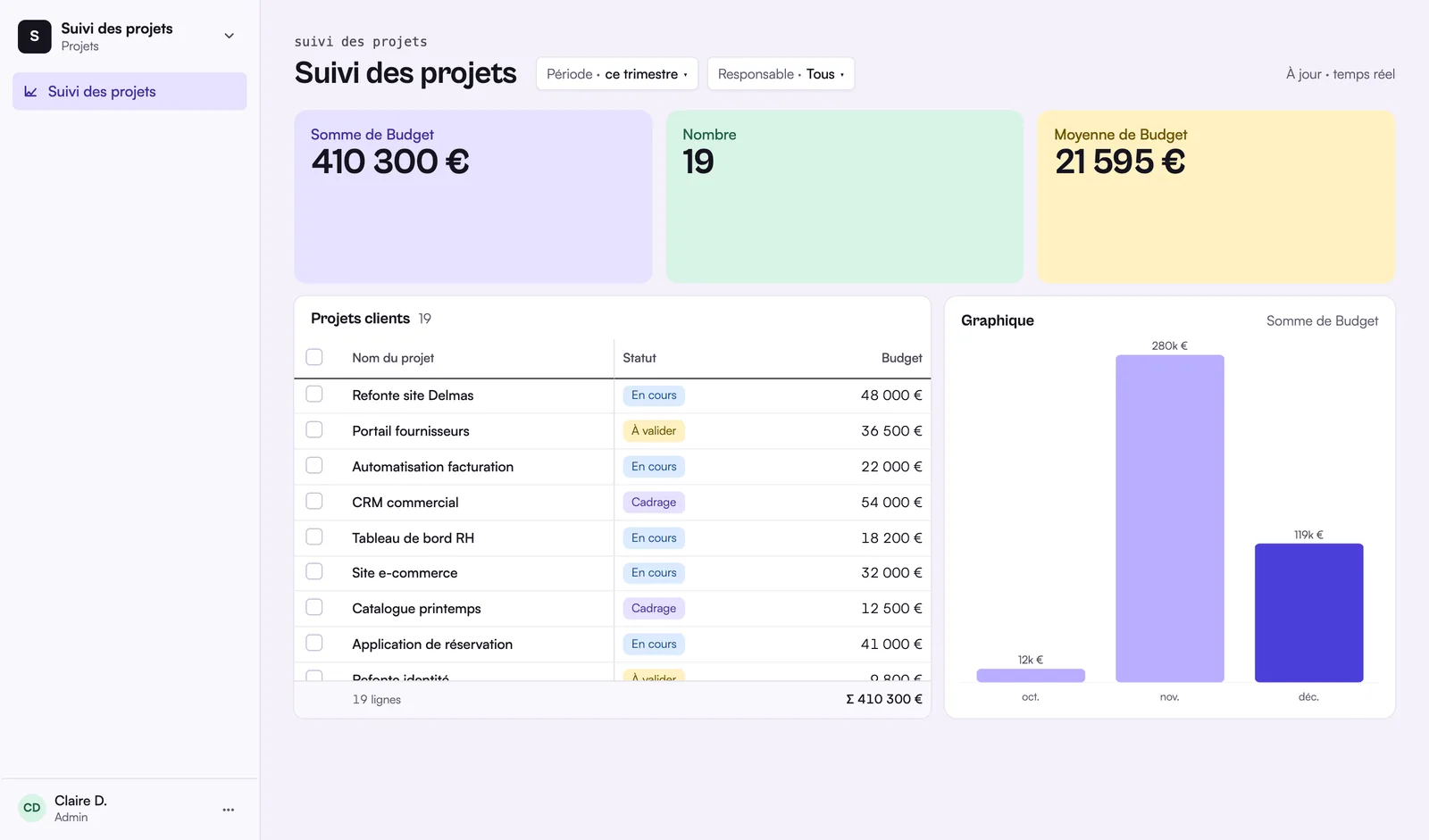
What is a Rangee interface?
A Rangee interface is a custom screen built on top of a base without writing code. It assembles blocks into pages, among 19 types: list, kanban, calendar, record, key figure, chart, gauge, form, button, text or tabs. Each block is set to a table, its fields, its filters and its sort order. An interface opens to the whole team or to chosen people, and some pages can be kept for editors or for named people. People who consult it are readers: they can comment on rows and never pay, on any plan. An interface can also be shared read-only outside the team, through a public link protected by a password or with guests invited by e-mail. The Free plan lets you publish one interface, the Pro and Business plans as many as you want. To show each client only their own data, Rangee offers the client portal, included in the Business plan.
19 block types
You drag blocks onto a grid and set them up: table, fields shown, filters, sorting.
- Data: list, grid, kanban, calendar, gallery, timeline, record page, linked records, activity
- Metrics: key figure, chart, gauge
- Input: form, button
- Layout: text, tabs, image, divider, spacer
Pages ready to fill in
A new page starts from a template: dashboard, list, review, record page, form or blank page. Blocks come prefilled with the fields of the chosen table.
Everyone sees what concerns them
An interface is open to the whole team or to chosen people. Its pages are sorted into groups, open to everyone, to editors only or to named people. Admins see everything.
Readers don’t pay
Someone who views an interface is a reader, free on every plan. They can also comment on records.
Share outside the team
An interface can be shared read-only with a public link, protected by a password and an expiry date if needed, or with guests invited by email who sign in with a code. Guests are not billed. To give each client their own data, see the client portal.
Depending on your plan
| Free | Pro | Business | |
|---|---|---|---|
| Published interfaces | 1 | Unlimited | Unlimited |
| Readers and commenters | Free | Free | Free |
| Client portal | – | – | Included, 50 users |
Not available yet
- Forms, buttons and record pages in external sharing: a public link or a guest only sees display blocks.
Frequently asked questions
Another question? Write to us.
Your team’s first screen.
Join the beta: import your data, then build a dashboard in a few blocks.